

FordPass
Connect, control and customise your Ford


Your gateway to more

Remote start3
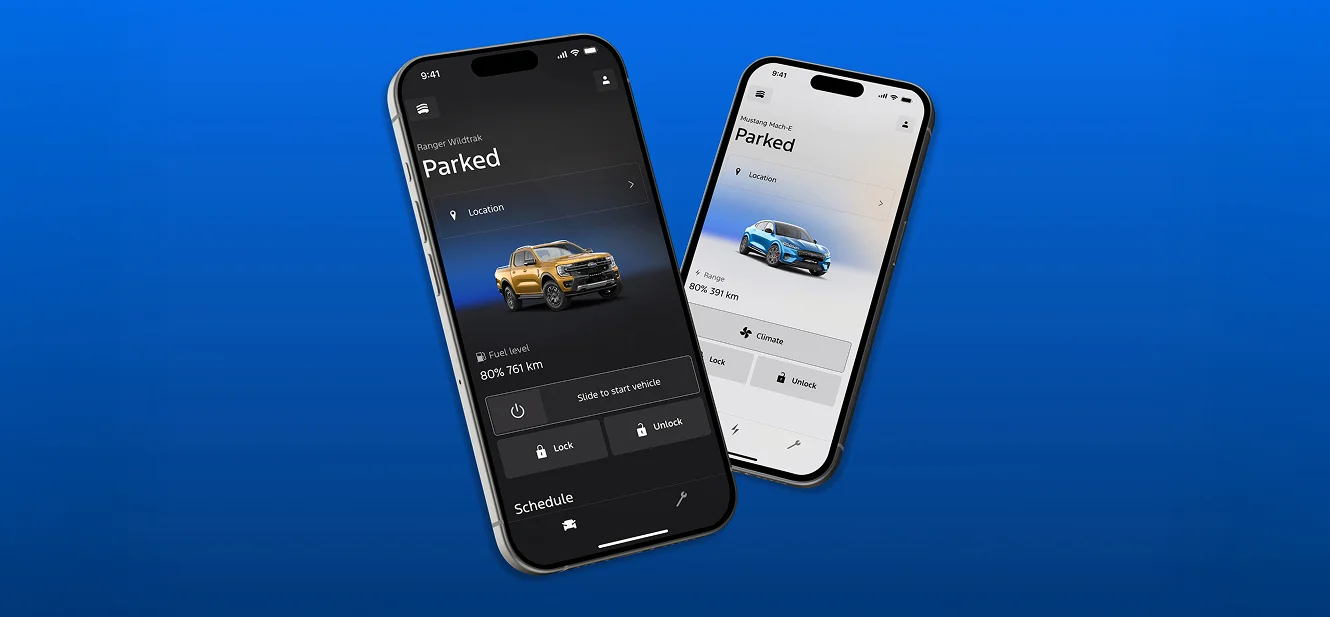
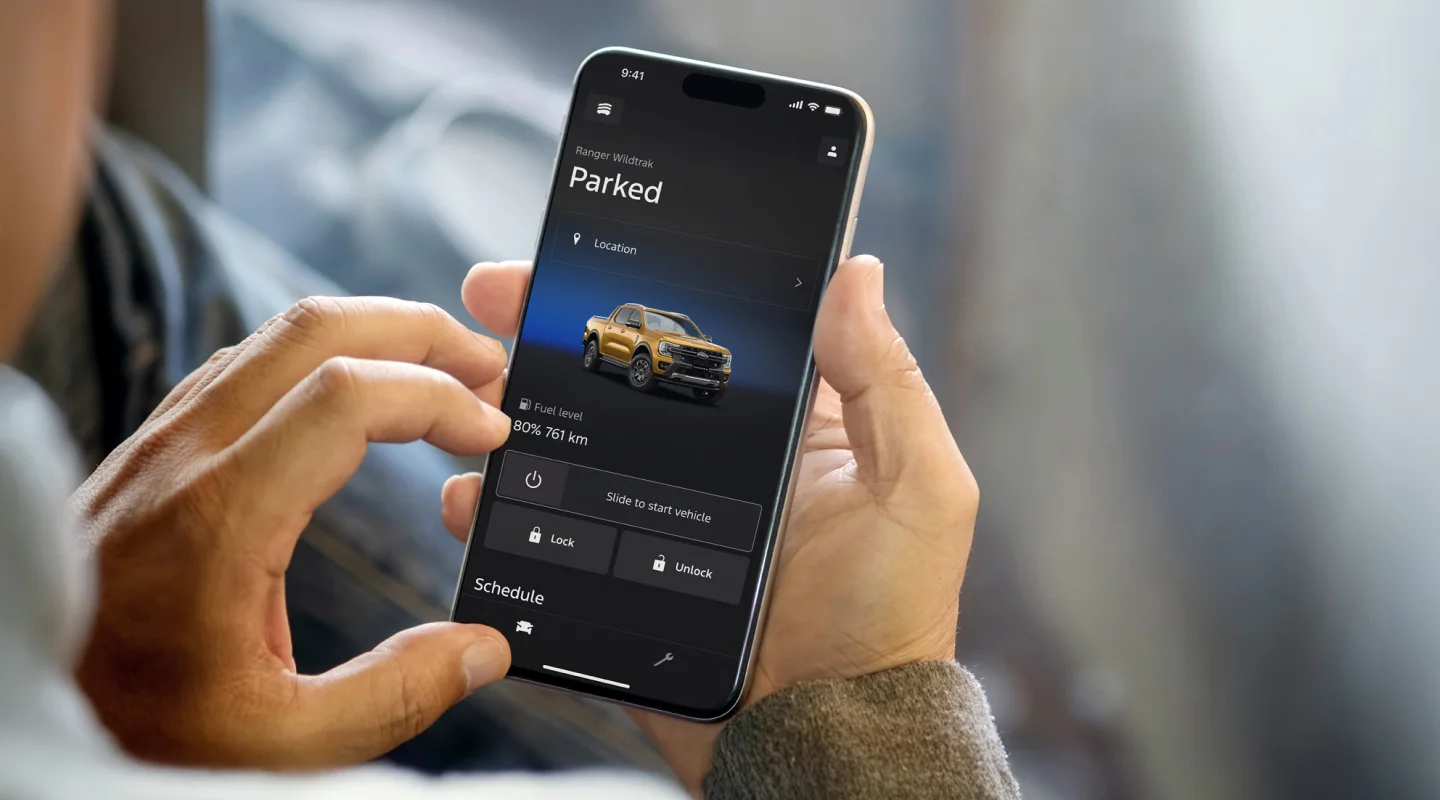
Start your vehicle from your phone and get the cabin locked or unlocked without being anywhere near prepped to your last climate setting. Don’t worry, your vehicle.

Remote lock/unlock
Conveniently check to make sure your doors are once you’ve remotely started your Ford, it will remain locked.

Vehicle status
View fuel or battery level, range, tyre pressure and more, all from your phone. Perfect for planning your day before you hit the road.

Vehicle health alerts
Stay ahead of the little things. From low washer fluid to tailored service reminders, your Ford keeps you updated in real time with real-time vehicle health notifications.

Vehicle locator
Can’t remember where you parked? The Ford app shows your vehicle’s exact location, which is great for shared cars with the family or busy days out4.
The Ford App FAQs
Remote Start3 keeps your vehicle locked and secure. If a door is ajar, it will still lock and start. It can be used twice in a row. After that, you will need to start the car manually. It is not available on manual vehicles.
When you send a command, the Ford app uses the internet to talk to your vehicle through Ford’s cloud. Once the vehicle completes the task, it sends a confirmation back to your app. If there’s no mobile or data signal, the Ford app features will not work.
The Ford app uses a built-in global SIM that connects to Telstra, Optus or Vodafone, depending on signal strength. You cannot access or change this SIM.
Yes, once you’ve connected your vehicle as the first user, you can authorise others through the Ford app without needing to be in the vehicle. Up to 10 users can be linked to one vehicle, who have access to the same app features, but only the primary user can add or remove users.
If you are selling or buying a Ford, a reset clears your data. The Ford app Connect reset removes users but keeps SYNC settings. A Master Reset clears everything. To reset, go to SYNC, then Settings, then General, select Reset and choose your reset option.
If you no longer choose to use the Ford app, you can uninstall the Ford app from your mobile device. If you uninstall the Ford app, this will not delete your Ford Account information. If you wish to delete your Ford Account, this can be done in the app under Account Settings or email Guides@ford.com. To stop the vehicle from sending data, turn off Vehicle Connectivity in SYNC.
The Ford app is compatible with smartphones and smartwatches with the following operating systems and versions:
- iOS® software requirements: software version 18.0 or later.
- AndroidTM software requirements: software version 10.0 or later.
Yes, the Ford app is free to download and use.
Please refer to the table below for network compatibility:
| Vehicle | Model Year | Network Compatibility |
| Escape | 2020.75 – 2023.75 | 4G |
| Everest | 2020.75 – Current | 4G |
| E-Transit | 2023.00 – 2024.50 | 4G |
| E-Transit | 2024.75 – Current | 4G/5G |
| Fiesta ST | 2020.25 – 2023.25 | 4G |
| Focus ST | 2020.25 – 2022.50 | 4G |
| F-150 | 2023.00 – Current | 4G |
| Mustang | 2021.50 – Current | 4G |
| Mustang Mach-E | 2023.75 – 2024 | 4G |
| Mustang Mach-E | 2025 – Current | 5G |
| Puma | 2020.75 – 2023.75 | 4G |
| Ranger | 2020.75 – Current | 4G |
| Transit | 2020.50 – 2023.50 | 4G |
| Transit | 2024.75 – Current | 4G/5G |
| Transit Custom | 2020.50 – 2023.75 | 4G |
| Transit Custom | 2023.75 – Current | 4G/5G |
| Tourneo | Current | 4G/5G |
We are working on always improving the Ford app and user experience. To achieve this, Ford may make changes to features, including adding, removing, or modifying existing ones.
- Use of Ford app is subject to the Ford app Terms and User Guide and Ford app Privacy Collection Notice, which are available on https://www.ford.com.au/privacy and requires a compatible mobile device, internet access and software (including software updates from time to time). The Ford app functionality and appearance may change over time due to software updates. You are responsible for internet access, mobile network data and voice call services required for your use of the Ford app on your mobile device, including associated fees. The Ford app and the Vehicle’s Modem can only work when both are connected to the telecommunications network. The Vehicle’s Modem will only function on the telecommunications networks it could use at time of manufacture. When all compatible networks for the modem in your vehicle are no longer available, the modem will stop functioning and the connected services and all data transmission via the modem will cease. Ford cannot guarantee that the Ford app will be in fully operating condition at all times and the Ford app may be unavailable or particular Ford app services interrupted. If the Ford app is unavailable, the ability to lock or unlock your vehicle remotely could be limited, and a physical key might be needed. Always keep your key with you to ensure you can access your vehicle at all times even if the Ford app is unavailable. Ford is not responsible for any limitations or restrictions of the telecommunications network or of your mobile device. Warning: Local laws prohibit some phone functions while driving. Check your local road rules before using these functions. Use Remote Vehicle Start and Stop responsibly and only in well ventilated areas where you are aware of your vehicle’s surroundings.
- Available on vehicles fitted with Ford Connect Embedded Modem.
- Remote Start & Stop only available on automatic vehicles. Use responsibly and only in well-ventilated areas where you are aware of your vehicle’s surroundings.
- Vehicle Location settings must be switched on.